When Should Your Startup Add Webhooks?
A practical decision guide for startup founders and product managers on the right time to invest in webhook infrastructure, what signs to watch for, and how to avoid common timing mistakes.
When Should Your Startup Add Webhooks?
Every SaaS founder faces it: "Should we add webhooks?" Build too early and burn cycles; build too late and lose enterprise deals. This guide helps you recognize the right time. For full context, see our webhooks for startups guide.
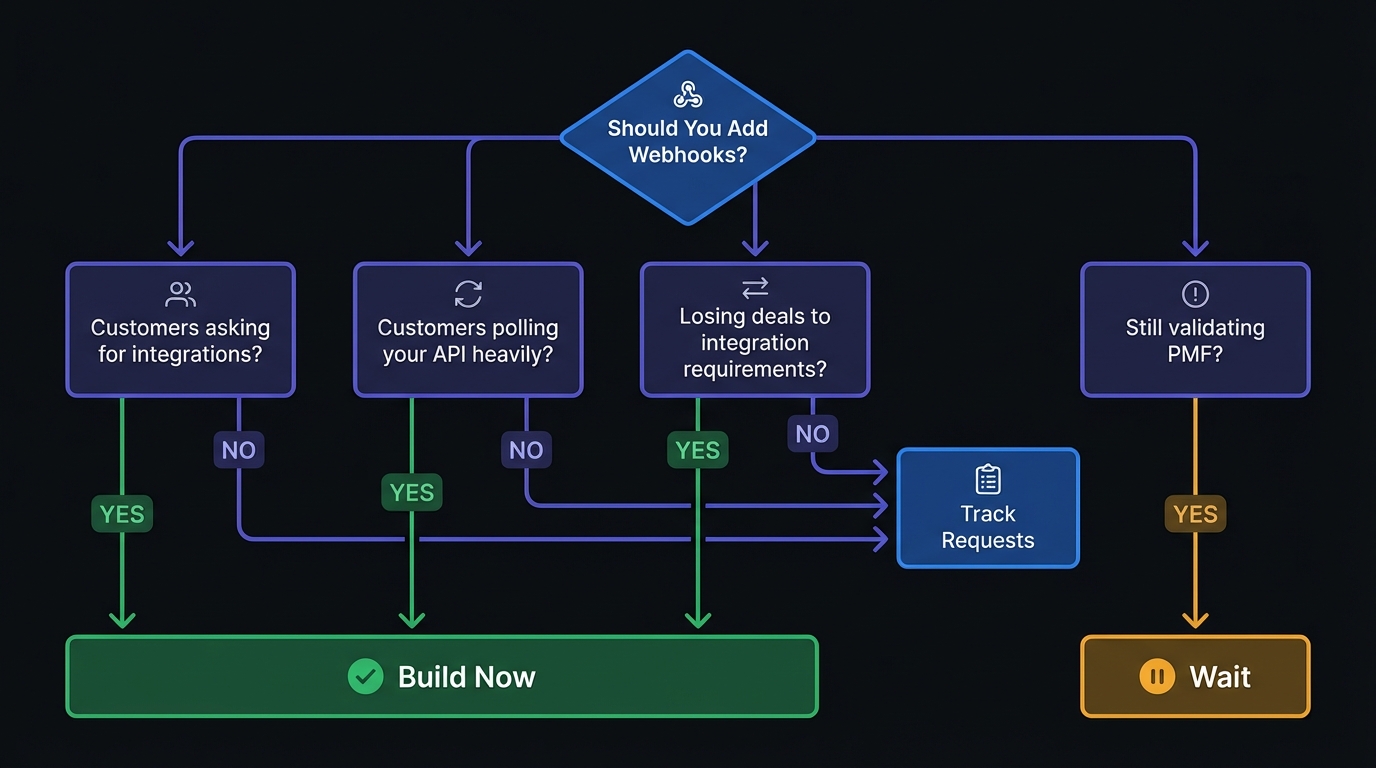
Signs You Need Webhooks Now
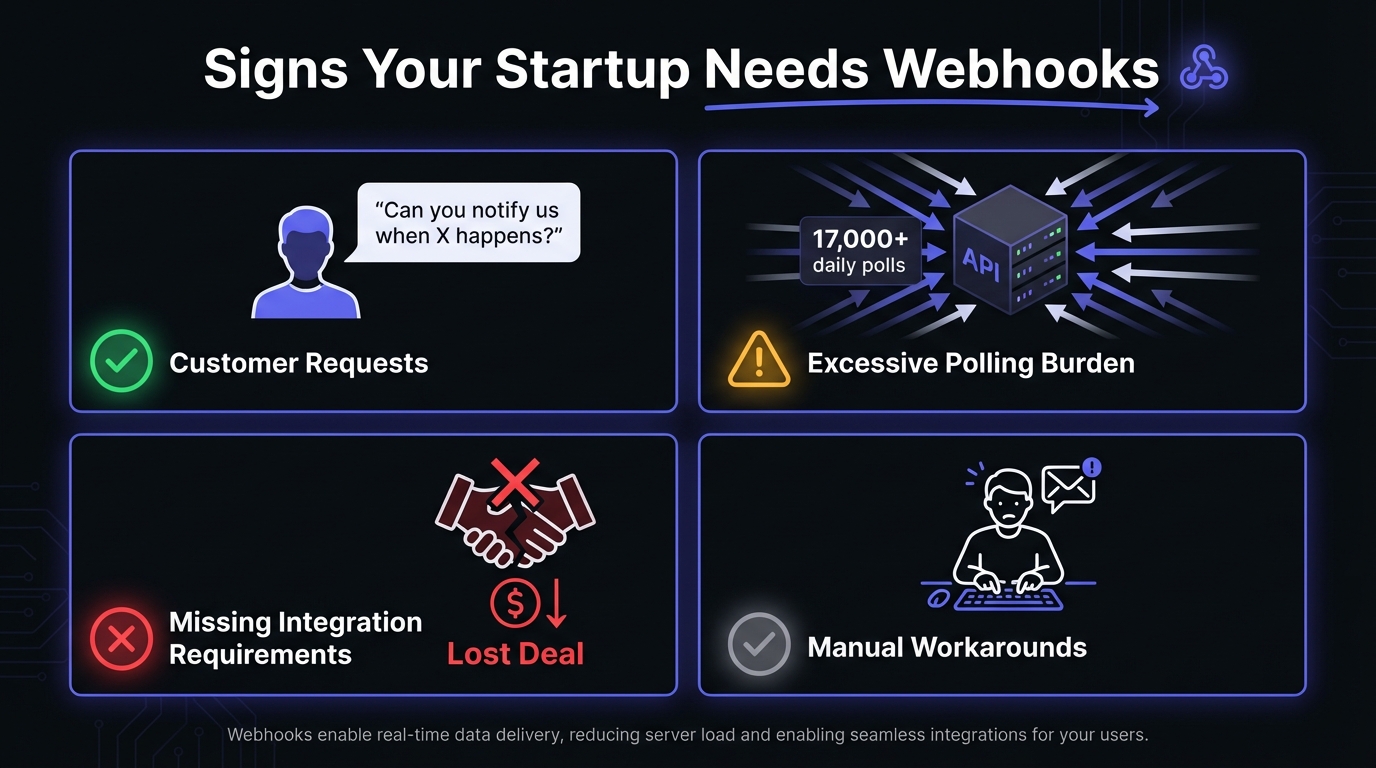
1. Customers Are Asking
Listen to how they phrase it: "Notify when X happens?" "Sync to warehouse?" "Integrate with Salesforce/HubSpot/Slack?" "Trigger internal workflows?" These are webhook requests. When multiple paying customers ask, you're in "how fast can we build?" mode.
Stripe built webhooks early because customers needed real-time payment status—helping them become the default for startups.
2. Customers Are Polling (Badly)
Check API logs for customers polling every few seconds. Red flag: they're hammering your infrastructure and need real-time data you're not providing. One customer polling every 5 seconds creates 17,000+ API calls daily for data changing once or twice. Webhooks push only when events occur.
Zapier analyzed 30 million poll requests and found 98.5% were wasted—no new data. They spent 66x more server resources on polling than necessary. Your customers face the same inefficiency.
3. Losing Deals to Integration Requirements
Enterprise and mid-market buyers have non-negotiable integration needs. "That's on our roadmap" kills deals. One founder lost a $50K ARR deal: buyer needed workflow triggers but wouldn't build a polling solution. Six months later, after building webhooks, the customer had switched competitors.
4. Manual Notifications Are Replacing Automation
Support sending manual "export is ready" emails? Customers need event-driven updates—you're using humans as the webhook layer. Doesn't scale.
5. Building Integrations One by One
Built Slack, then Salesforce, then HubSpot integrations separately? Doing it wrong. Webhooks create one integration point—emit events and customers connect to anything (Zapier, Make, Tray, n8n all consume webhooks). Build once; connect to thousands of tools.
6. Webhooks Appearing in RFPs
Enterprise deals often include technical requirements checklists. When webhooks start appearing in RFPs or security questionnaires, the market signals readiness. This is especially true in B2B SaaS where buyers evaluate integration capabilities alongside core features.
7. Platform Extensibility Demands
Customers want to build on top of your product. They're asking about APIs, SDKs, and automation capabilities. Webhooks unlock this extensibility—let customers create value you never imagined without your engineering team building each use case.
Signs You Don't Need Webhooks Yet
No product-market fit: Webhooks are a scaling tool, not validation. If iterating core features and pivoting, skip webhooks. Event schema and data models will change.
Nobody asked: Zero customer requests for webhooks or integrations? You might not have a product that benefits from them.
Fewer than 10 paying customers: Solve integration needs manually. Write scripts, send emails. Learn what customers need before investing in infrastructure.
High-frequency data updates: If your data changes thousands of times per second (real-time analytics dashboards, live trading), webhooks may overwhelm receivers. Consider WebSockets or polling for extremely high-frequency scenarios.
The "Build It When They Ask" Approach
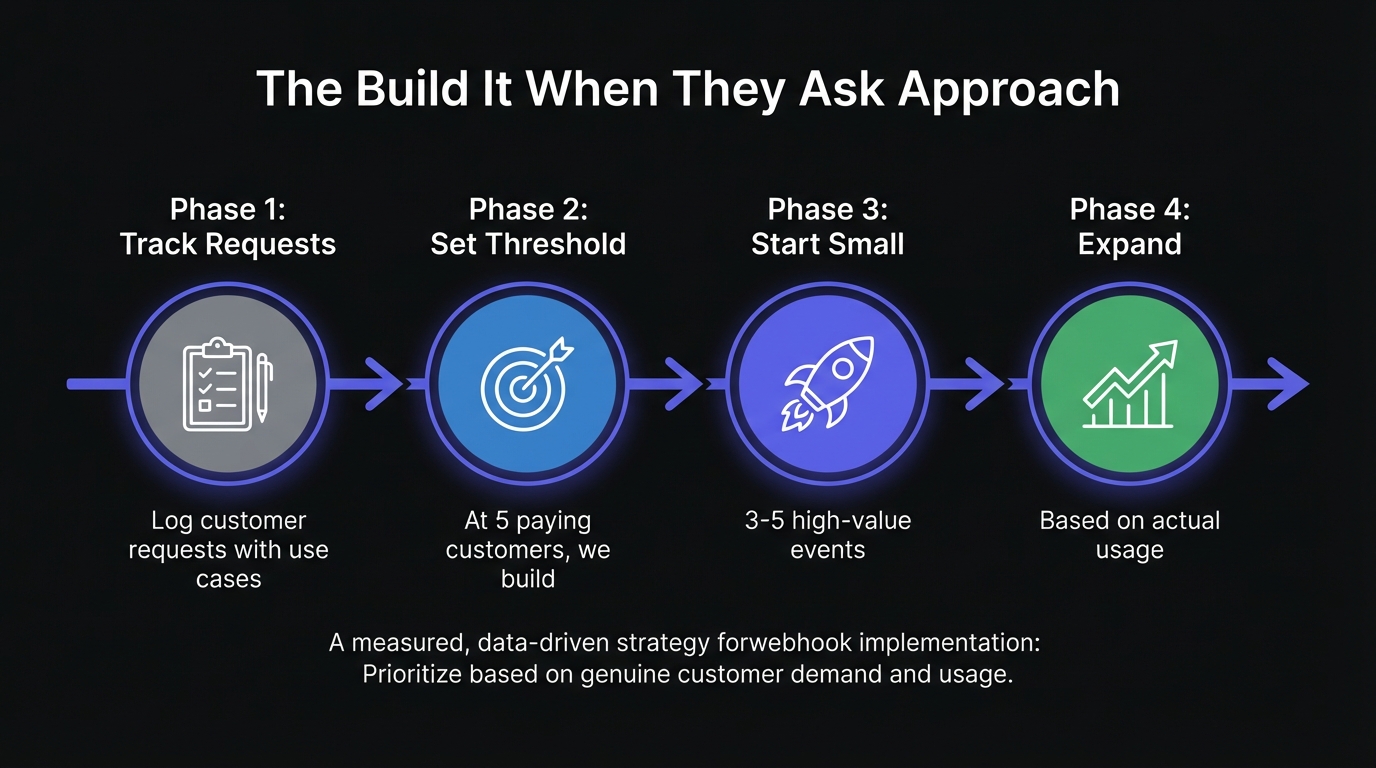
Phase 1: Track webhook requests (customer, plan level, use case).
Phase 2: Set threshold—"At 5 paying customers, we build." Prevents premature or indefinite delays.
Phase 3: Start with high-value events. Start with 3-5 requested events. CRM: contact.created, deal.won, deal.lost. Payments: payment.succeeded, payment.failed, subscription.canceled. Project tools: task.completed, project.created, comment.added. See how to scope your webhook MVP.
Phase 4: Expand based on actual usage, not speculation.
The Opportunity Cost of Waiting
Lost revenue: Deals you never close due to missing integration requirements. Invisible losses.
Customer churn: Users outgrow your product because it can't fit their workflows.
Support burden: Manual notifications and "let us know when X happens" tickets consume hours.
Engineering debt: Direct integrations you built need maintenance alongside the webhooks you'll eventually build. See true cost of building webhooks in-house.
Calendly accelerated webhooks after realizing enterprise deals needed real-time scheduling notifications. Building cost less than revenue left on the table.
The Real Engineering Cost
Building webhook infrastructure in-house typically takes 6-12 months for a production-ready system. That includes:
- Event emission and payload design
- Delivery infrastructure with queuing
- Retry logic with exponential backoff
- Failure handling and dead letter queues
- Security (HMAC signatures, HTTPS enforcement)
- Customer-facing UI for endpoint management
- Observability and debugging tools
- Ongoing maintenance and scaling
For a 5-person engineering team, this is 20-40% of capacity for months—capacity not spent on core product.
Making the Decision Easier
Webhooks require real engineering investment: events, delivery, retries, failures, UI, maintenance. For small teams, that's significant. The build vs buy decision determines if webhooks are viable now. Managed services let you go from multi-sprint projects to single-day integrations—respond to customer requests faster, start smaller, scale as demand grows.
Scoring Your Webhook Priority
Use this framework to prioritize:
| Signal | Weight | Your Score |
|---|---|---|
| Paying customers requesting webhooks | 3x | |
| Deals lost to integration gaps | 3x | |
| Customers polling API heavily | 2x | |
| Webhooks in competitor feature lists | 2x | |
| Manual notification workarounds | 1x | |
| Integration partners requesting access | 2x |
Score 8+: Build now or buy a managed solution. Score 4-7: Start tracking requests; set a threshold. Score 0-3: Focus on core product; revisit quarterly.
The Bottom Line
Add when: Multiple paying customers ask, you're losing deals, customers are polling, manual notifications should be automated.
Hold off when: Haven't validated PMF, no one asks, still learning core product.
When ready, you don't have to build everything. The barrier to webhooks has never been lower. See our MVP webhook architecture guide to design a scalable system.
Hook Mesh handles the infrastructure—delivery, retries, security, observability—so you can ship webhooks in days instead of months. Start with the events customers actually request, expand as demand grows.
Related Posts
Webhooks for Startups: A Practical Guide
A comprehensive guide for startup founders and engineers on implementing webhooks - when to add them, what to build first, and how to scale without over-engineering.
How to Scope Your Webhook MVP (Without Over-Engineering)
A practical guide for product managers and engineers on scoping a webhook MVP. Learn what features to include, what to defer, how to prioritize events, and avoid common scope creep traps that derail webhook projects.
MVP Webhook Architecture: Start Simple, Scale Later
A practical guide for startups building their first webhook system. Learn what you need on day one versus later, avoid common over-engineering mistakes, and understand when to build versus buy.
Webhooks for Startups: From MVP to Scale
The definitive guide for startup founders and engineers on implementing webhooks - from your first integration to handling millions of events. Learn when to add webhooks, how to scope your MVP, avoid common pitfalls, and scale confidently.
Build vs Buy: Webhook Infrastructure Decision Guide
A practical guide for engineering teams deciding whether to build webhook delivery infrastructure from scratch or use a managed service. Covers engineering costs, timelines, and when each approach makes sense.